How to Add YouTube as Destination
Connect your YouTube channel to LiveSure to start multi-streaming in seconds. We use Google's official secure OAuth connection to ensure your account safety.
1
Access the Destination Panel
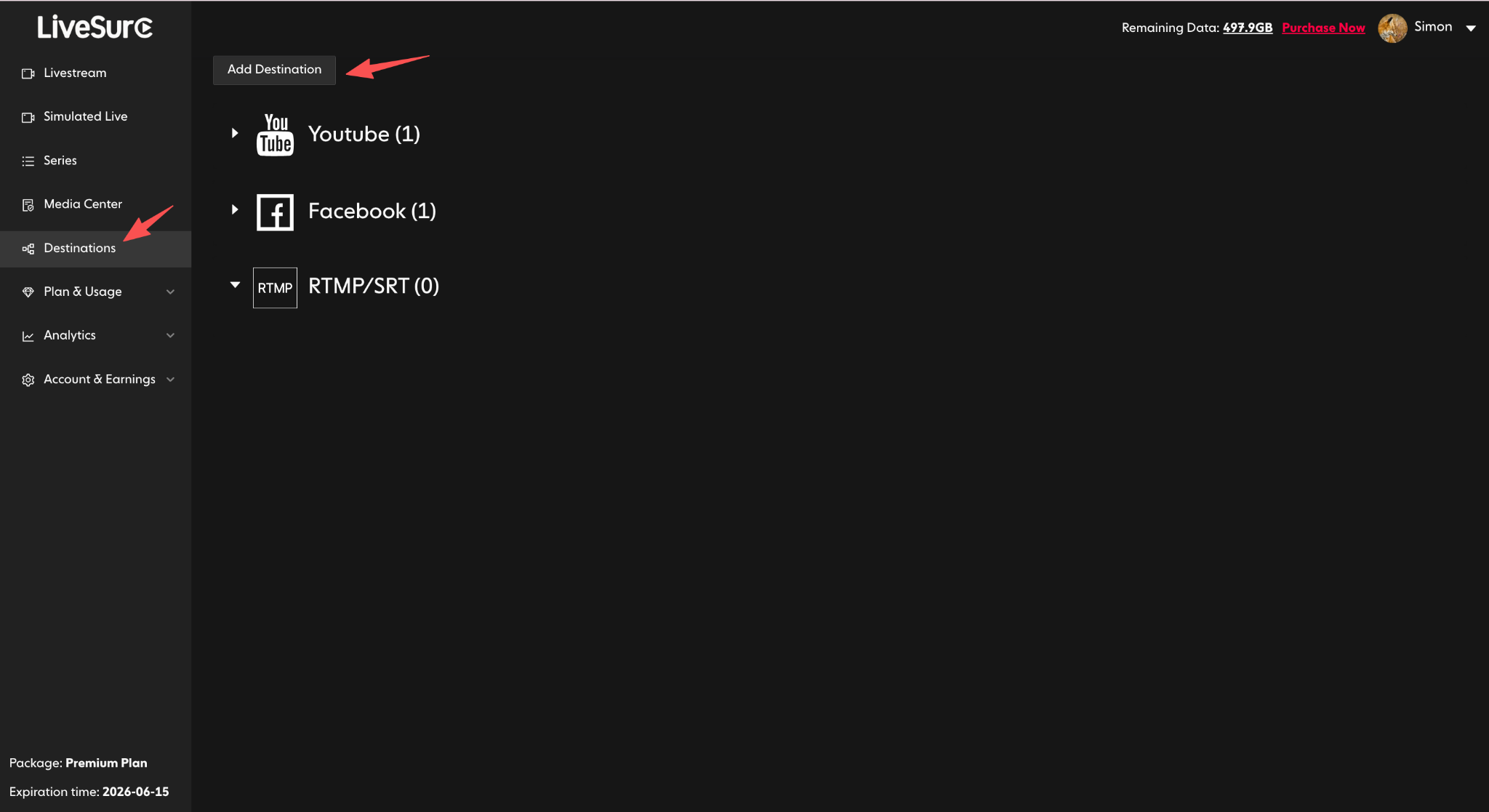
On your LiveSure Dashboard, navigate to the “Destinations” section in the left sidebar. Click the “Add Destination” button to open the sidebar.
2
Choose YouTube
Select YouTube from the list of platforms. This will initiate the Google account linking process.
3
Authorize Google Access
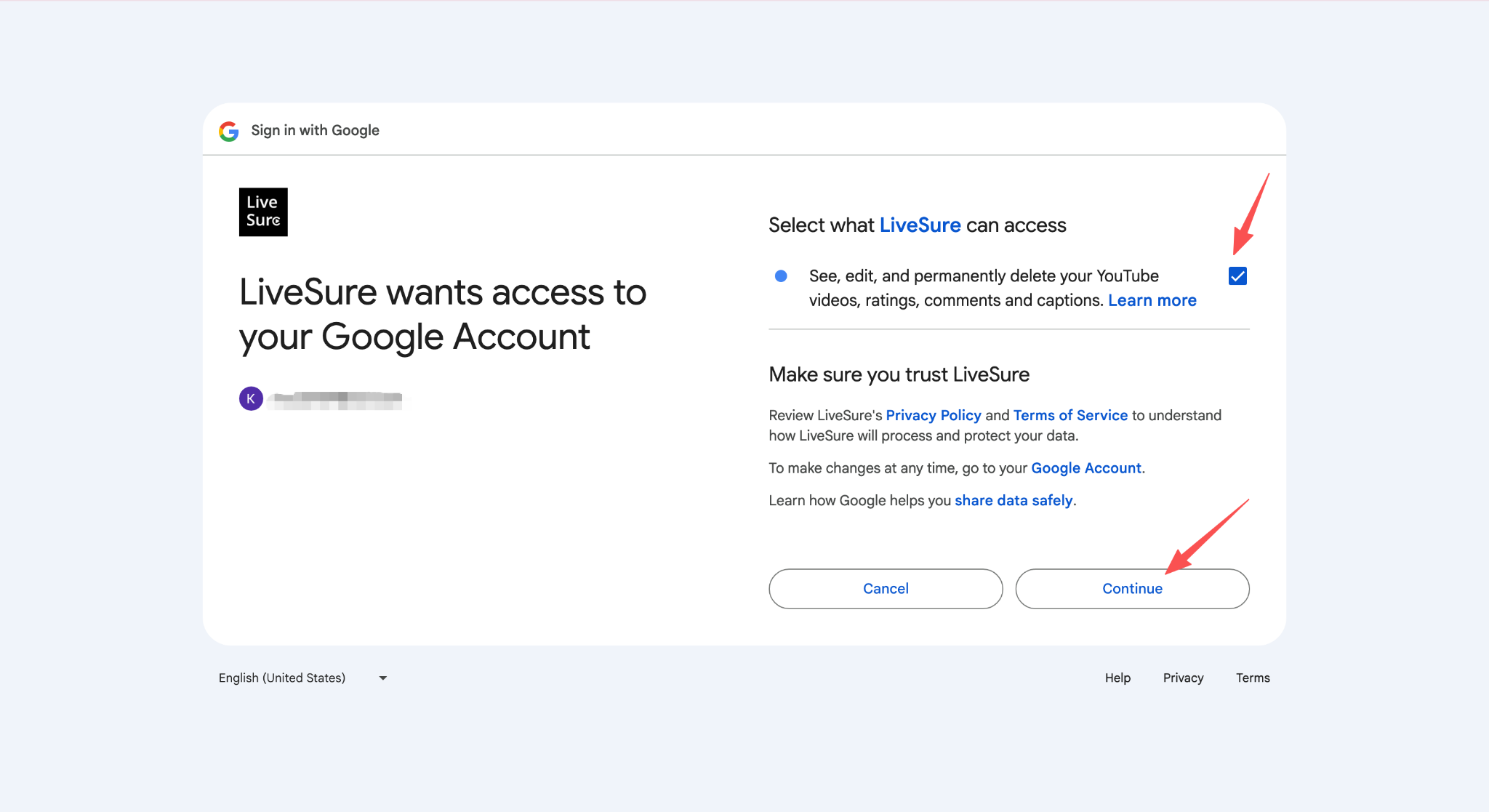
Click the “Authorize Access” button. A secure Google login window will appear. Select the account associated with your YouTube channel.
Critical: Please ensure you check the box that allows LiveSure to "Manage your YouTube account". If this permission is skipped, we won't be able to create live events on your behalf.
4
Start Streaming to YouTube
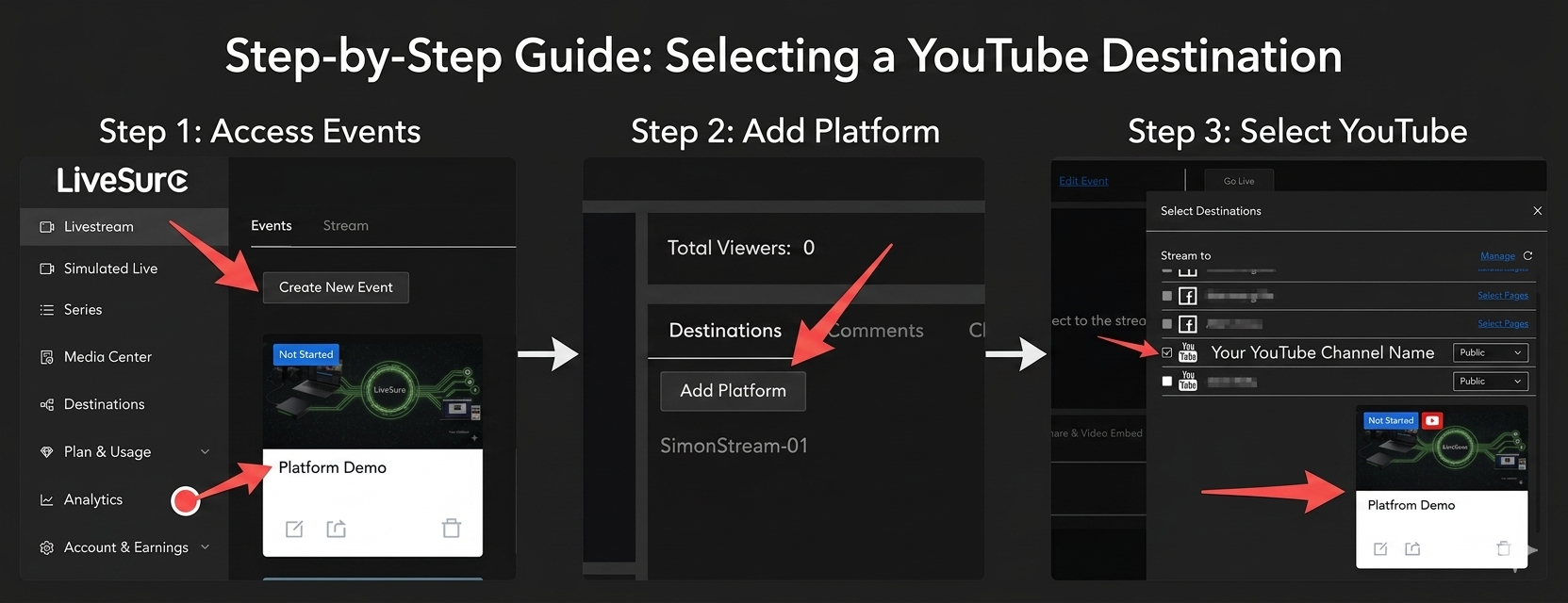
Now that your account is linked, you can add YouTube to any event. Whether you are creating a LiveStream Event or a Simulated Live Event, simply click the “Add Platform” button and select your YouTube channel.
🚀 Pro Tip: Once your event starts, LiveSure will automatically push the stream to YouTube. You can also manage your YouTube broadcast settings (like privacy and titles) directly within the LiveSure dashboard.
💡 Pro Tips & Troubleshooting
Why is my YouTube channel not showing up?
Make sure your YouTube channel has "Live Streaming" enabled. If you just enabled it, YouTube has a 24-hour mandatory waiting period before you can stream.
Is it safe to connect my Google account?
Absolutely. LiveSure never sees your password. We use official API tokens that you can revoke at any time from your Google Security settings.
Can I connect multiple YouTube channels?
Yes! Simply repeat the "Add Destination" process for each account or channel you own.