Payout Setup & Earnings Documentation
Welcome to the LiveSure Creator Community! To help you monetize your content efficiently, LiveSure provides a seamless, fully automated payout system. Whether you earn revenue from Paid Viewing (Ticketed Streams) or receive Virtual Gifts/Tips from your audience during live broadcasts, managing your earnings is transparent and straightforward.
💡 Payout Calculation Formula: Net Payout = Total Gross Revenue of Previous Month × 80%. A 20% platform service fee is retained to cover payment gateway processing, gas fees, and financial compliance costs.
1. Core Revenue & Payout Rules
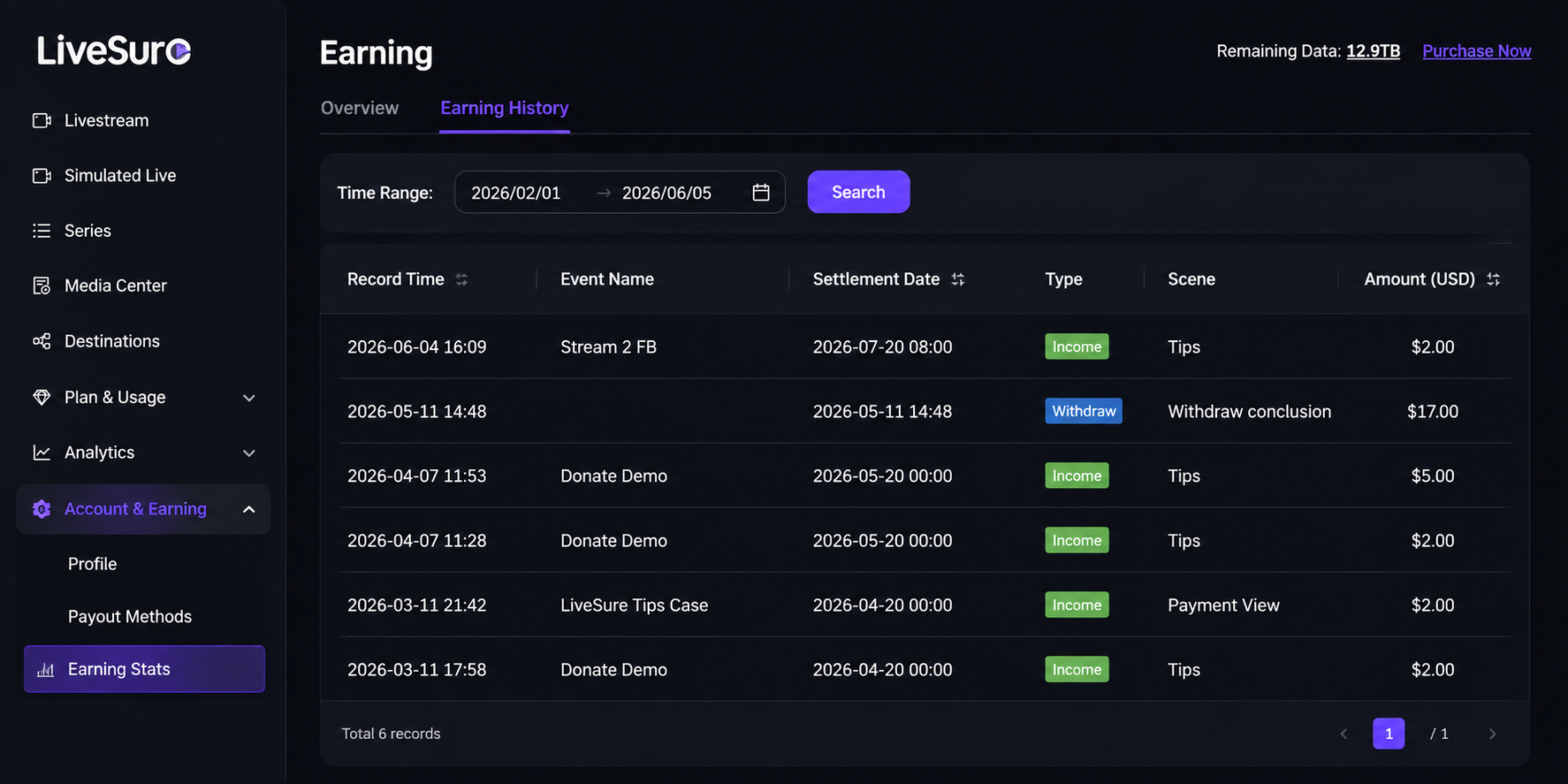
- Real-Time Tracking: All revenue generated from paid ticket entries and viewer gifts is synchronized to your dashboard in real-time. You can review every transaction under
Earning Stats → Earning History.
- Payout Schedule: On the 25th of every month, our system automatically initiates the payout process for all earnings accumulated during the previous calendar month (from the 1st to the last day of the month).
- Automated Cycles: You do not need to manually request a withdrawal. Funds are pushed automatically to your active payout method.
2. How to Set Up PayPal (Fiat Currency)
- Log in to your LiveSure Creator Dashboard and navigate to the Payout Methods menu on the left sidebar.
- Select the PayPal radio option to set it as your active payout method.
- Enter your registered PayPal Email Address accurately into the designated text field.
- Click Save to secure your configurations.
3. How to Set Up Crypto Wallet (Digital Assets)
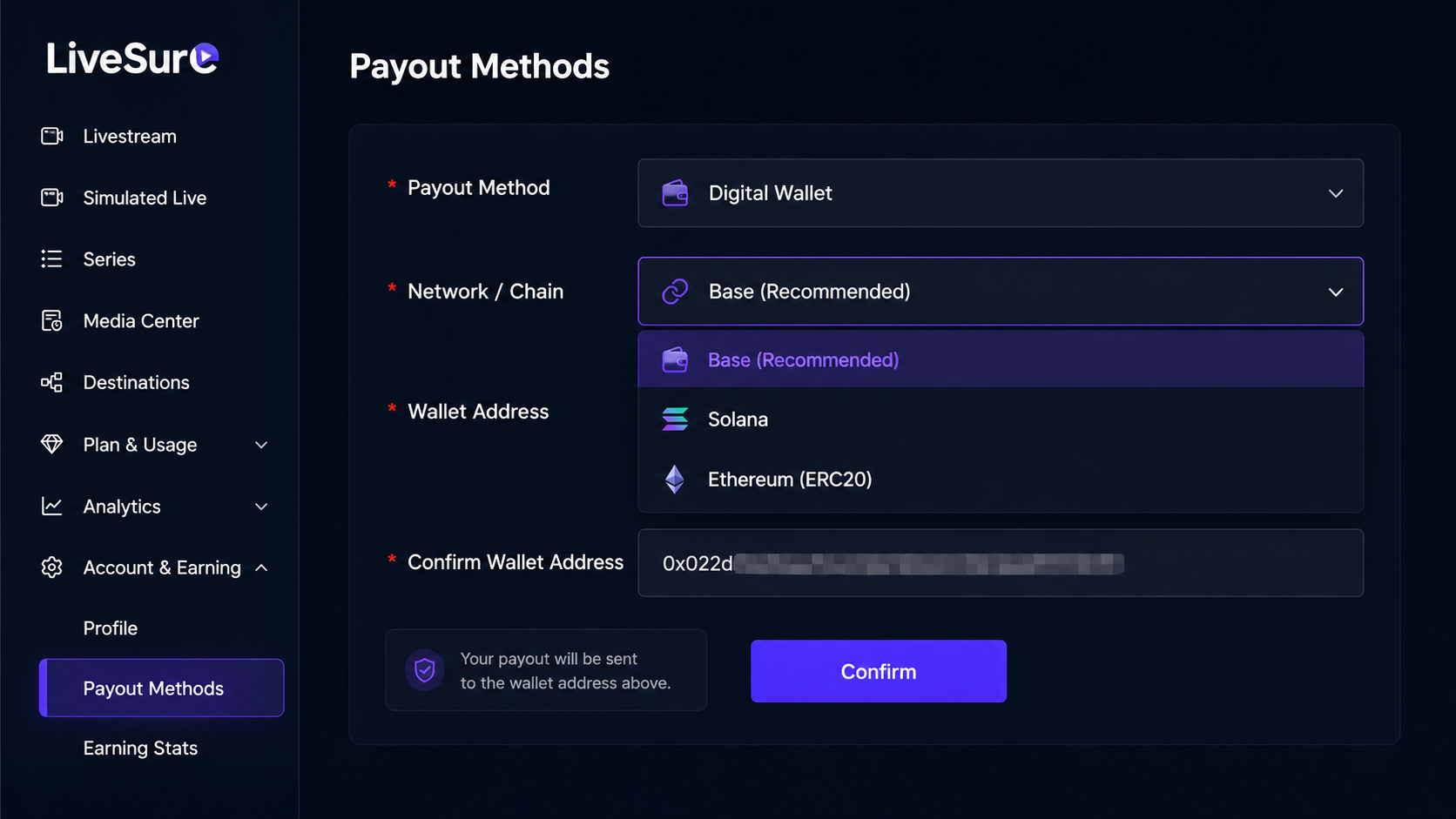
- Navigate to the Payout Methods menu on your dashboard.
- Select the Crypto Wallet option as your active payout tool.
- Select Network: Click the dropdown menu and choose your preferred blockchain network (e.g.,
ERC20). Please ensure your external wallet explicitly supports this network.
- Paste your public Wallet Address into the input box and click Save.
4. Critical Compliance & Guidelines
- Setup Deadline: We strongly recommend completing or updating your layout profiles before the 20th of the month. Changes made during the processing window (21st–25th) will delay your funds until the following month's cycle.
- Creator Liability: Please double-check your account strings. LiveSure is not liable for lost assets, failed transfers, or tokens sent to incorrect networks due to creator data entry errors.
- Unlinked Accounts: If you have not configured a payout method by the 25th, your earnings will remain securely held in your platform balance and will automatically roll over to the next eligible monthly cycle once a payout method is verified.


 Facebook
 Email
Email